Disconnecting Deals in SkySlope Books
1. In the left menu, navigate to Deals. Then open the deal you want to disconnect.
Note: The deal must have a currently active connection for it to be disconnected.
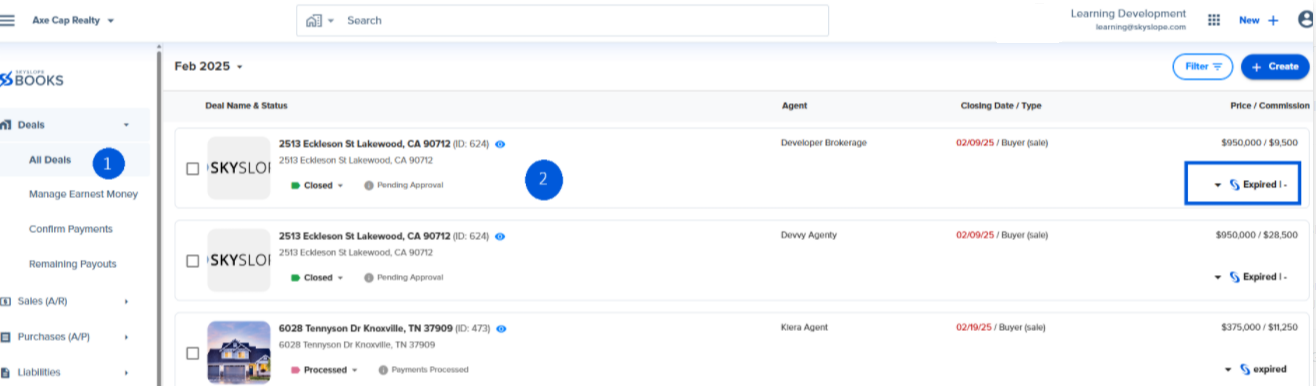
2. Click on the SkySlope icon  , and then click Disconnect.
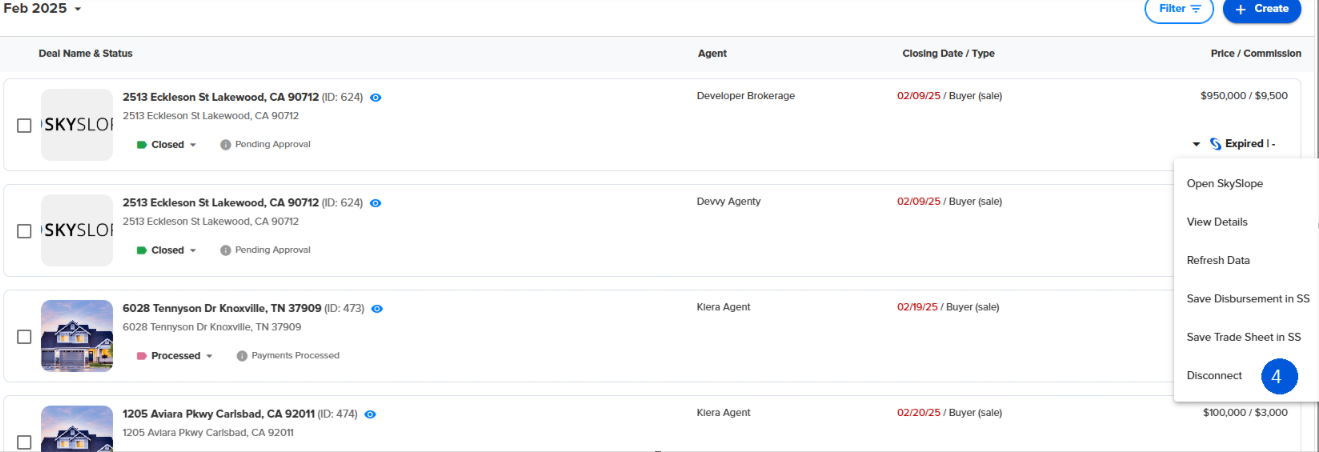
4. You will see a success message at the bottom right of the screen.
3. On successfully disconnecting the deal, you no longer see the same options as before in the drop-down.
4. If you go to SkySlope, you will get this error message about the connection not found. This is because you have disconnected the deal.
Was this article helpful?
That’s Great!
Thank you for your feedback
Sorry! We couldn't be helpful
Thank you for your feedback
Feedback sent
We appreciate your effort and will try to fix the article
<\br>