SkySlope Books has fields available for both Hire Date and Anniversary Date. These dates in many cases can be the same but are separate fields in SkySlope Books to allow for flexibility.
For example, for commission calculations, some brokerage use a standard date, such as the first of every month as the agent's anniversary date. While this is acceptable for calculation purposes, the IRS and other organizations require information on the actual hire and termination dates.
To add the Hire Date and/or the Anniversary Date, follow the steps below.
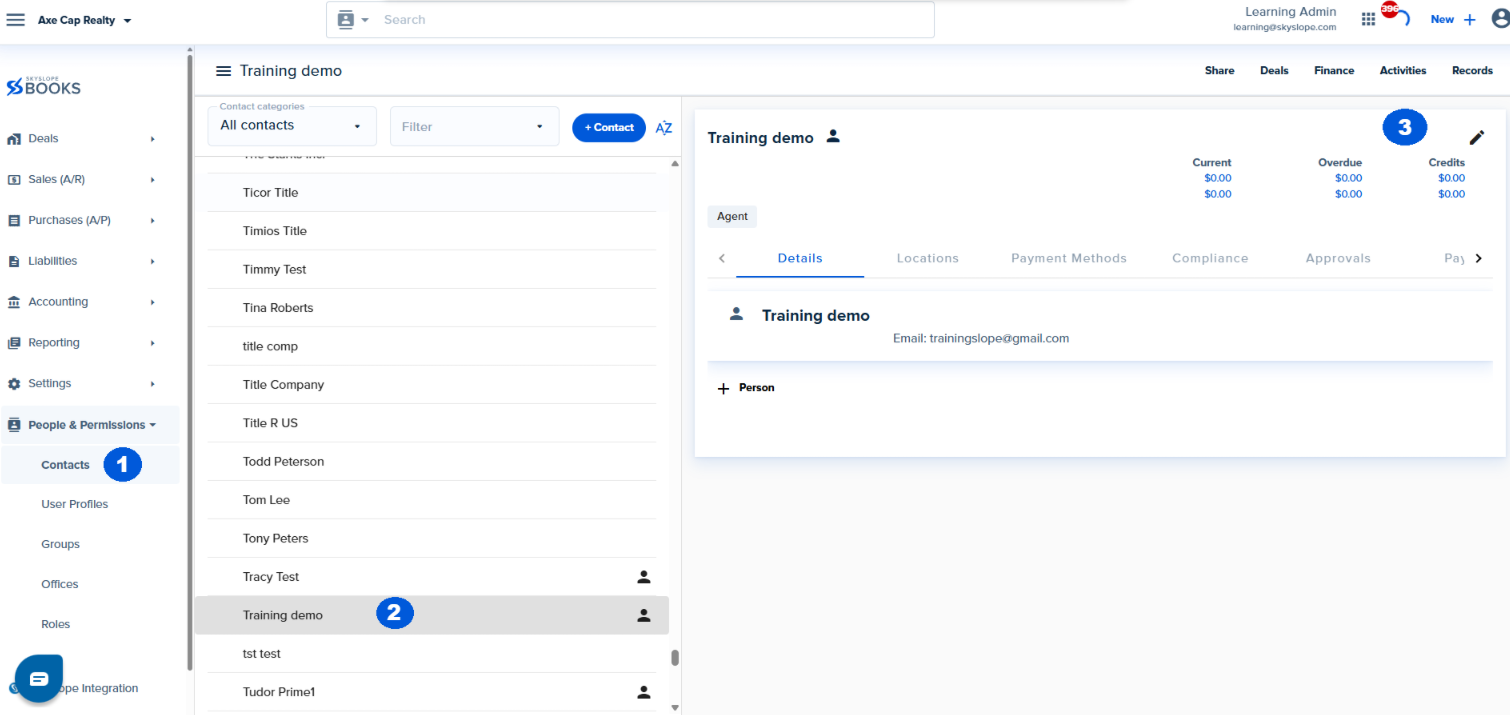
1. Go to Directory > Contacts
2. Select the Contact
3. Click on the Edit icon
4. Click on the Compliance Tab
5. Add the Anniversary and/or Hire Date and Save

Was this article helpful?
That’s Great!
Thank you for your feedback
Sorry! We couldn't be helpful
Thank you for your feedback
Feedback sent
We appreciate your effort and will try to fix the article
<\br>